An AI trading co-pilot for beginners
Learn to trade from zero,
with AI beside you.
Unsure where to start, or overwhelmed by signals? Use a free session with a GO AI advisor to choose what to learn first, understand risk basics, and agree on a practical next step.
Free · 45 minutes · online with a GO AI advisor
Already a member? Download the app.
183 lessons · AI coach · live sessions in Arabic and English
What you leave your free session with
Your starting plan
- 1Where you are nowYour experience and your goal, in your own words.
- 2What to learn firstThe track to start with, out of 10, and why.
- 3How much to riskA simple rule for the size of each trade.
- 4Your next stepWhat to do this week, and how you will know you are ready to trade.
Meet GO AI.
A short look at the GO AI agents that watch the markets, and how a signal reaches you.
Starting out, the hard part is knowing what to learn first.
Most beginners jump between all of these and still have no plan:
- YouTube
- Telegram
- Discord
- News feeds
- AI chatbots
- Five subscriptions
GO AI gives you one path instead: learn the basics in order, practise decisions with clear risk, and trade only when you are ready.
What happens in your free session
45 minutes, online, in Arabic or English. We start with your experience, goal and questions, then explore whether GO AI fits your needs.
- 1
Before
Answer three quick questions and pick a time that suits you. You get a confirmation email with the meeting link.
- 2
During
Your advisor asks where you are now, what you want from trading and what has held you back. Then you build your starting plan together and see the parts of the app that fit it.
- 3
After
You leave with your starting plan: the track to begin with, a simple risk rule and your next step. You decide in your own time whether the program is right for you.
The session is educational, not financial advice. An advisor will never ask for your trading account password.
Is this session right for you?
For beginners who want a structured learning path and are considering a paid GO AI membership. The session is free; membership is paid. If there is a fit, your advisor explains the available options, fees and next steps before you decide.
Looking for guaranteed profits or someone to trade for you? This educational session does not offer either. You keep control of your decisions and can take time to consider membership.
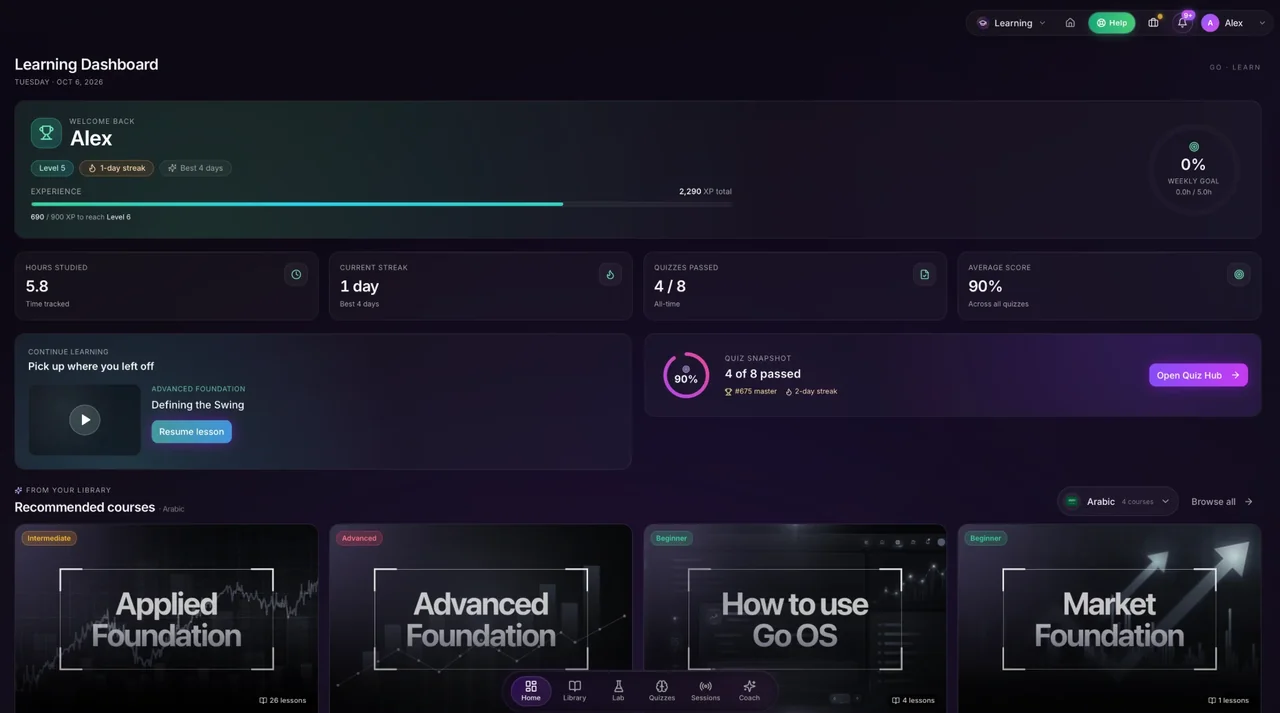
1Learn
Learn trading in the order that makes it stick.
Go Library starts from first principles and builds step by step, across forex, crypto, indices and commodities. Lifetime access, with new modules added continuously.
- Learn trading with AI: ask the coach by text or voice whenever you’re stuck.
- Upload a chart screenshot and get a breakdown of the setup.
- Every strategy comes with its setup, its edge, when it fails and the conditions it needs.
- Each lesson links to a Go OS tool or Go Lab system, so you can apply it right away.
- Resume where you left off on phone, tablet or desktop.
| Track | Level | Modules |
|---|---|---|
| Market Structure | Core | 18 |
| Risk Management | Core | 12 |
| Forex Foundations | Foundation | 24 |
| Crypto Foundations | Foundation | 19 |
| Indices & Commodities | Foundation | 16 |
| Technical Analysis | Intermediate | 31 |
| Trading Psychology | Intermediate | 14 |
| Institutional Order Flow | Advanced | 21 |
| Macro & News Trading | Advanced | 17 |
| Algorithmic Thinking | Advanced | 11 |
| Total | 183 |
2Decide
Practise decisions with a plan, not a guess.
Go OS reads the market for you. Its AI trading signals turn each setup into a plan: where to enter, where to get out if you are wrong and how much to risk. You see why a trade makes sense before you take it.
- Know your stop before you enter: every signal shows where to get out if you are wrong.
- Know how big to trade: position size comes from your balance and your risk limit.
- Know why: each signal explains its reasoning, so you learn from every trade idea.
- Know when to look: a market scanner alerts you when conditions line up on the assets you follow.
Go deeper: How to size a position from your risk · How AI reads market structure
A real Go Bell gold signal (XAUUSD)
XAU/USD
- Direction
- Sell
- Session
- Tokyo
- Timeframe
- 3m
- Posted
- 31 Aug 2026, 01:03 UTC
- Entry
- 4,455.60
- Stop
- 4,458.45 (28.5 pips)
- TP1
- 4,452.76 (28.4 pips)
- TP2
- 4,449.92 (56.8 pips)
- Risk, example account
- 1% of $10,000 = $100
- Position size
- 0.35 lots
Follow-up, 01:06 UTC TP1 hit. Move your stop to entry (4,455.60).
Watch a signal being built.
3Execute
Trade when you are ready, with your risk set first.
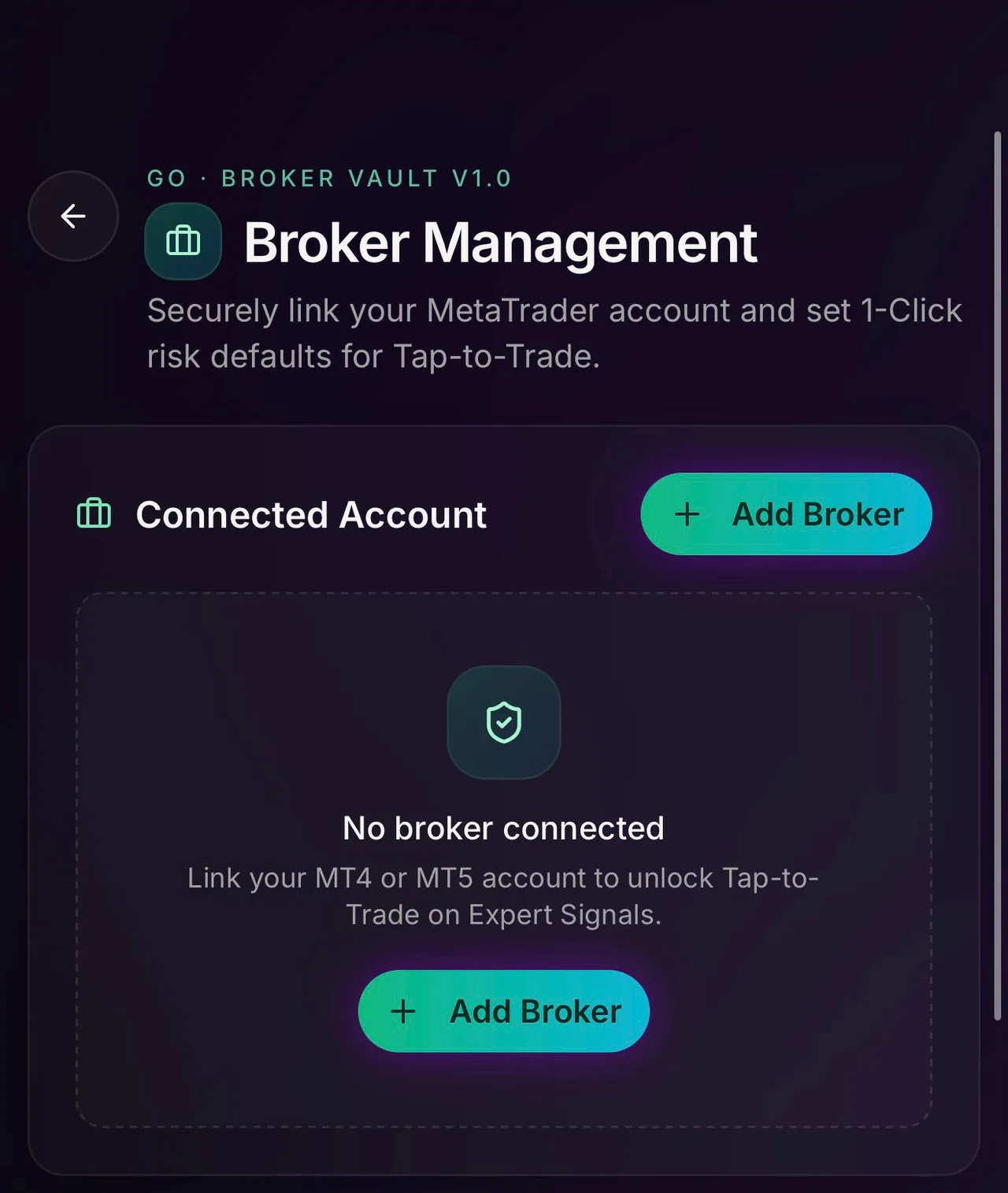
Connect your MT4 or MT5 account once and set how much you are willing to risk. Then use one-click trading (beta) on expert signals, or copy them. You choose how much control to hand over.
- Copy trading, sized to you: expert calls are replicated in your account at the risk you set.
- Your risk comes first: you set it once, and every one-click trade uses it.
- Indicators on your charts: add Go Lab indicators to your TradingView account, and run Go Lab systems on MetaTrader 5.
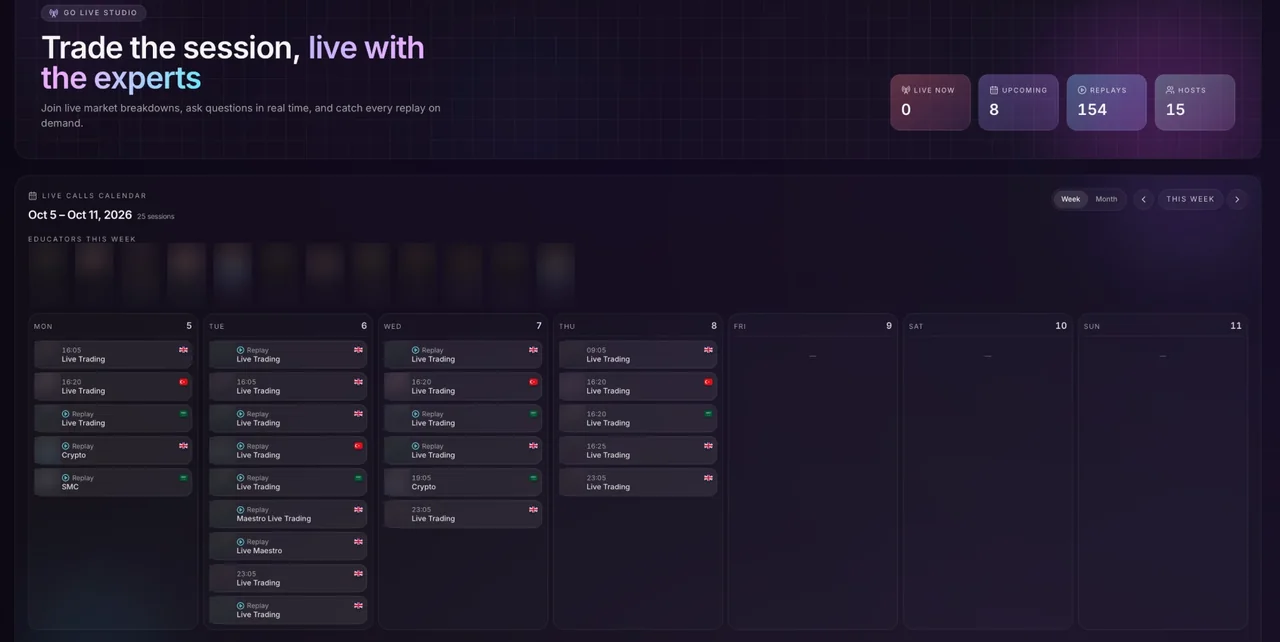
Trade alongside experts, live.
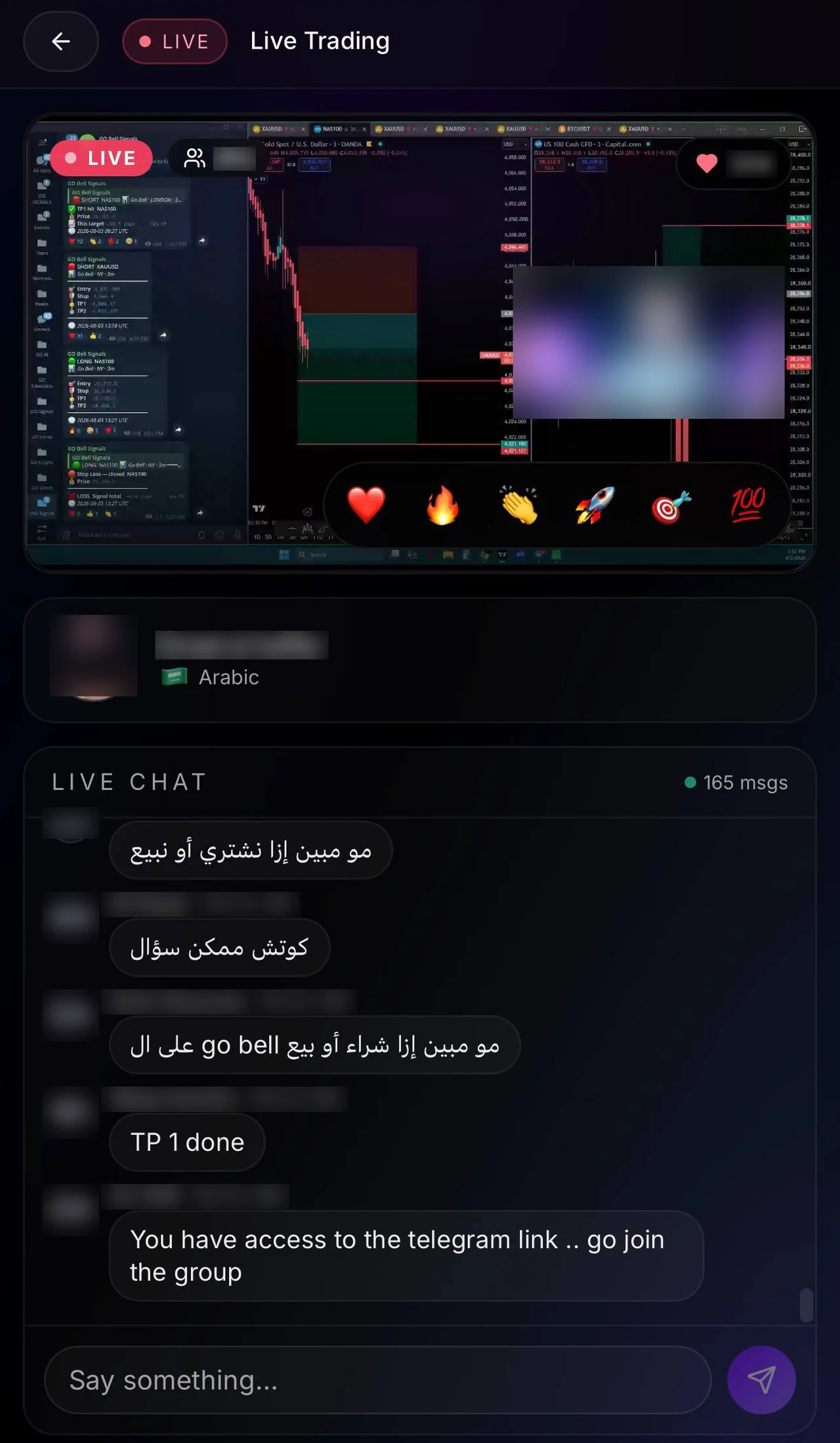
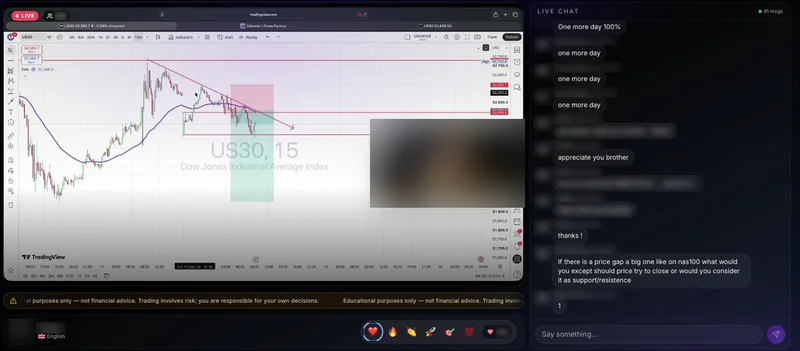
LiveJoin live trading sessions with on-screen charts, live chat and reactions. Missed one? Watch the replay.
- Follow the expert’s charts as they trade, and ask questions in the live chat.
- Arabic sessions are hosted by Emad al Haffar, English sessions by Preston.
- Every session carries a notice: educational purposes only, not financial advice.
- A weekly calendar shows what is live, what is coming up and what you can replay.
Explore GO AI’s halal screening tools.
GO AI labels instruments and portfolios as halal-rated and offers a Sharia filter. These are product classifications, not an independent certification. Instrument screening alone does not establish whether a particular trade, broker arrangement or financing method is Sharia-compliant.
Covers forex, crypto, indices and commodities, including major pairs, BTC, ETH, NAS100, gold and oil.
Halal flags appear in
- Every signalHalal-rated
- Your portfolio dashboardHalal-rated
- Go OS chat and analysisHalal-rated
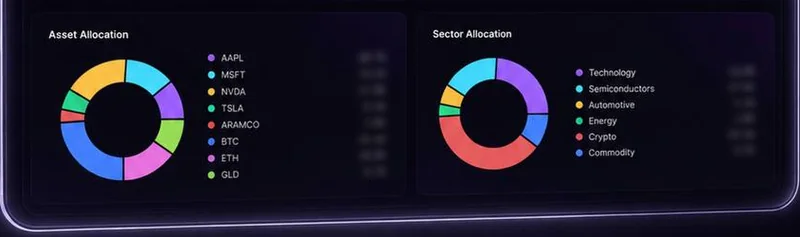
Portfolio screening, at a glance.
GO AI’s halal portfolio view shows its screening score and allocation across stocks, crypto and gold, with an Ask AI button. Check the provider’s screening criteria and obtain qualified guidance for your circumstances.
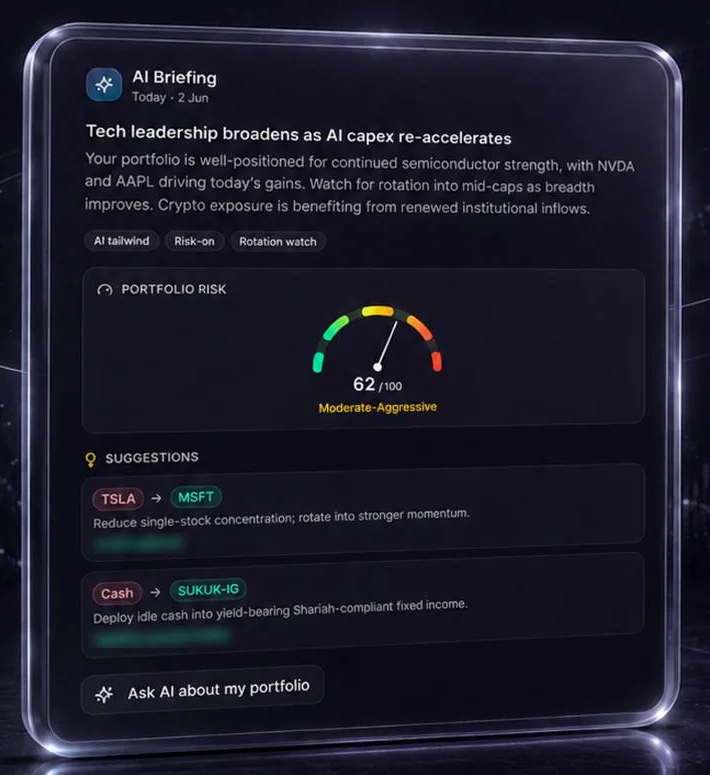
Daily AI Briefing.
A daily portfolio brief shows a risk score and suggestions, which can include sukuk. Review suitability and the product’s screening method before acting.
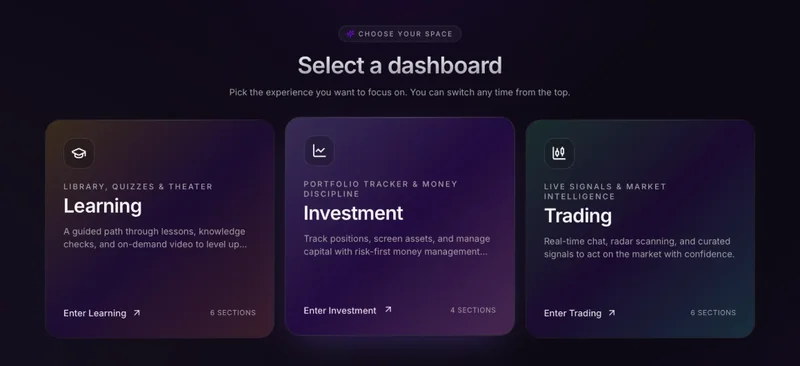
Your co-pilot on every screen.
GO AI OS is an AI trading app for iPhone, iPad, Android, tablet and desktop. Signals, chat, dashboard and lessons pick up where you left off.
Already a member? Download the app.
Frequently asked questions
How do I get started with a GO AI OS account?
Start with the free session to understand the program and ask about membership. If you choose to join, ask your advisor to explain registration, activation, access and all fees before you pay. Booking a session does not create a paid membership.
What if I am short on time?
Bring your schedule to the session. Ask which learning track fits it and what regular practice involves before deciding. We do not promise a shortcut to trading competence.
What happens in the free session?
It is a 45-minute online call with a GO AI advisor. You talk about where you are, what you want from trading and what has held you back, see the parts of the app that fit your goal, and leave with your starting plan. It is educational, not financial advice.
Is the session a sales call?
It is a planning session first. If the GO AI program fits your goal, your advisor explains the membership and what it costs. If it does not fit, they will tell you that too. You never have to decide on the call.
I have never traded. Is this for me?
Yes. Go Library starts from first principles and the AI coach answers your questions as you learn, by text or voice. You can learn at your own pace before you place any trade.
How much money do I need to start?
Your advisor goes through the costs with you in the free session. Trading itself needs a separate account with a broker. Only trade with money you can afford to lose.
What is GO AI OS?
GO AI OS is an AI trading co-pilot and trading app. It combines a structured trading curriculum, AI and expert signals, portfolio analytics and execution tools in one app for iOS, Android and desktop.
Does GO AI OS trade for me?
Not unless you choose to. By default, Go OS surfaces the signal and sizes the position, and you make the final call. If you prefer, copy-trading can replicate expert calls in your own account, sized to your risk.
Can the AI be wrong?
Yes. No signal or model is right every time, which is why every signal carries its stop and its reasoning. Always assess market conditions before you trade.
Does GO AI offer halal trading signals?
GO AI labels signals, instruments and portfolios as halal-rated and offers screening tools intended to support Sharia-compliant trading. The labels reflect the provider’s classification, not independent certification. Review its criteria and seek qualified guidance for the trade, broker and financing terms.
Are there live sessions in Arabic?
Yes. Live sessions run in Arabic, hosted by Emad al Haffar, and in English, hosted by Preston. Every session carries an educational-purposes-only notice, and you can watch replays.
Is GO AI a forex signals app, and which markets does it cover?
It covers forex and more: crypto, indices and commodities, including major currency pairs, BTC, ETH, NAS100, oil and gold signals on XAUUSD. Alongside signals you get lessons, analytics and execution tools.
Does GO AI have MT5 indicators and TradingView indicators?
Yes. Go Lab indicators and systems deploy to MetaTrader 5 (MT5) and TradingView. You add the indicators to your TradingView account from inside Go OS.
Not sure where to start? Talk it through first.
Book a free 45-minute online session with a GO AI advisor. Tell us your goal and experience, and see how the program works before you decide.
Free · 45 minutes · online with a GO AI advisor